 Keepsake
New: Company profiles in Keepsake
Until now, Keepsake managed your contacts — the people. But in real life, your relationships aren’t only with individuals. You interact with companies, organizations, schools, and institutions.
You can now create company profiles in Keepsake.
Each company has its own details (phone, email, address, website, notes), and you can link contacts to it.
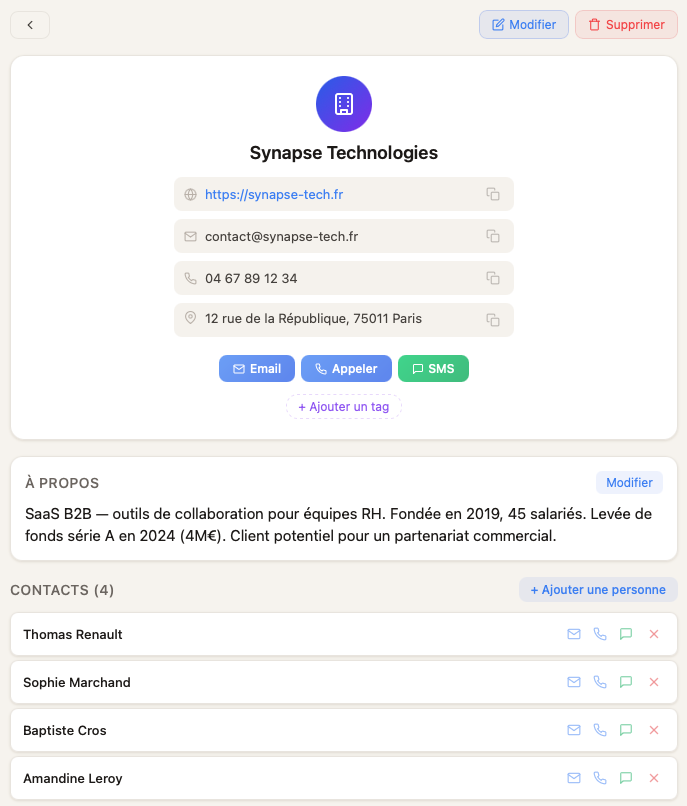
When you open a company profile, all its contact details are right there. With one tap, you can copy any information or take action: call, send an email, or send a text.
Same goes for the people linked to that company: they’re listed and you can reach them in one tap, or open their personal profile.
Here’s what it looks like in practice: you create the “Synapse Technologies” profile, link Baptiste (the sales director) and Sophie (the HR director) to it, and when you need to figure out who to contact to move a deal forward, everything is in one place.
It’s simple, it’s what you’ve been waiting for, and it’s available right now.
But it doesn’t stop there. The real power of company profiles in Keepsake is that they bring together, in one place, everything happening around that company.
Scroll down a company profile and you’ll discover:
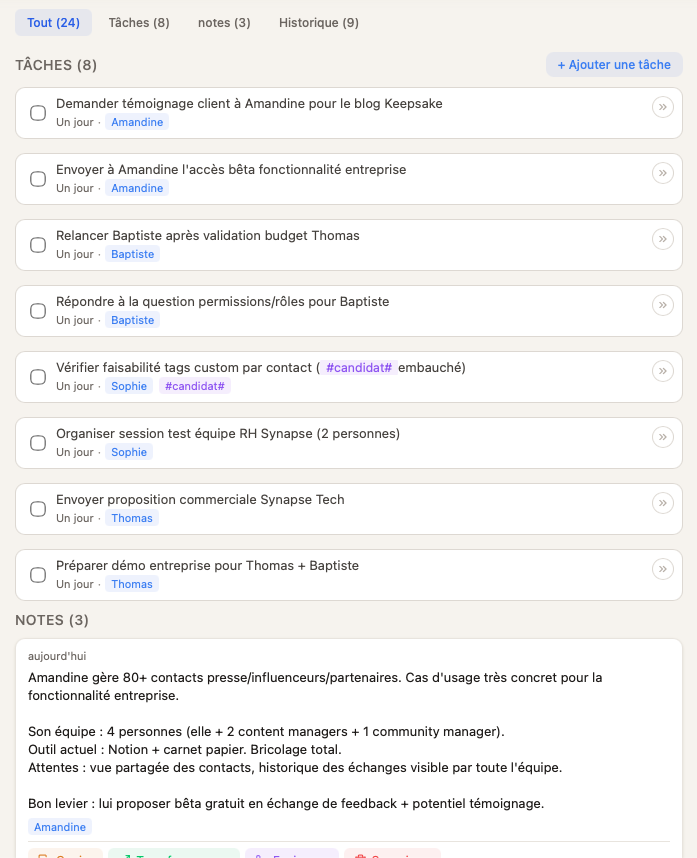
Tasks: those belonging to the company itself, plus all tasks linked to each person who works there.
As you can see in the screenshot below: two tasks for Sophie, two tasks for Amandine, and so on. Everything grouped in one place, so nothing slips through the cracks.
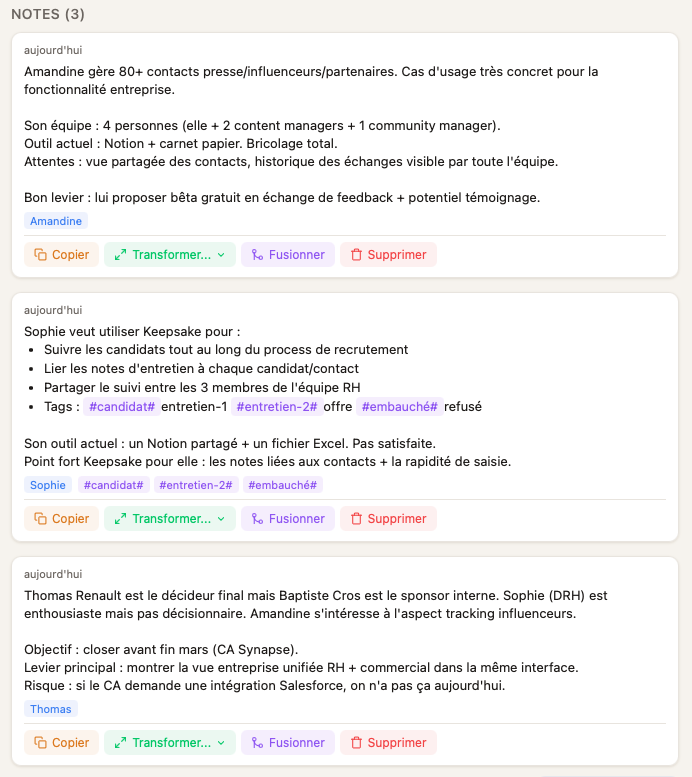
Notes: same principle — notes let you capture information worth keeping, and they pull together notes from all the company’s contacts in one view.
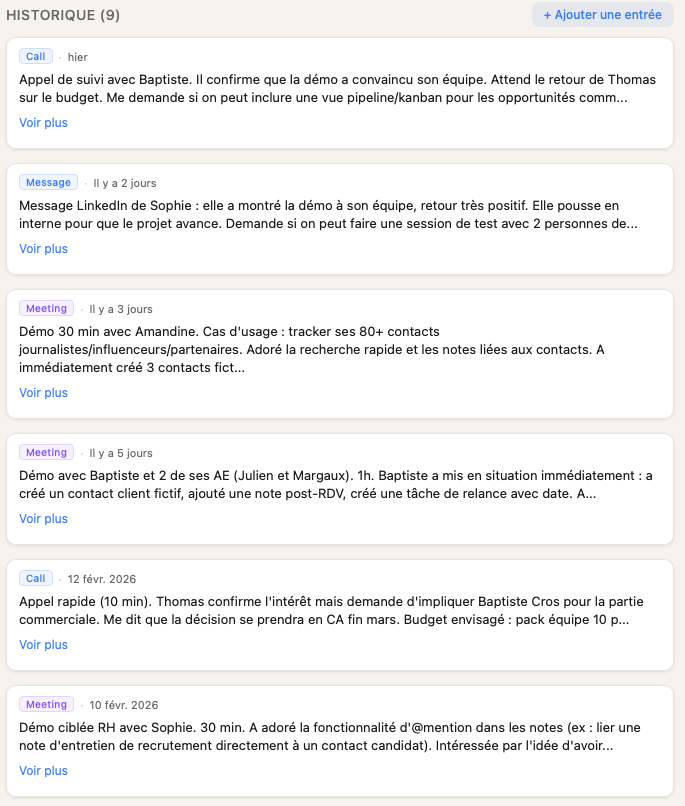
Journal (history): this section shows all interactions — texts, emails, calls, meetings, events, and more — along with completed tasks, whether they relate to the company itself or to any of its team members.
Company profiles are already live.
Open Keepsake and try it.
And as always, if you have a question or a suggestion, reach out at support@keepsake.place.
— Nicolas